Showing posts with label Themes. Show all posts
Wednesday, June 12, 2013

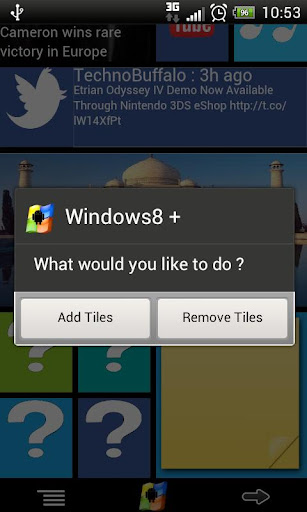
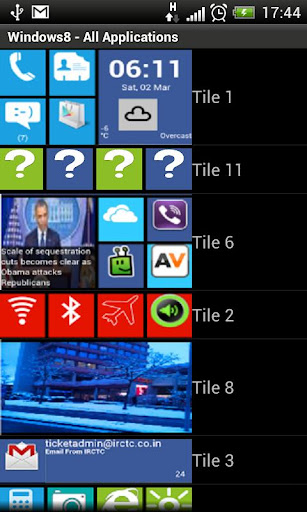
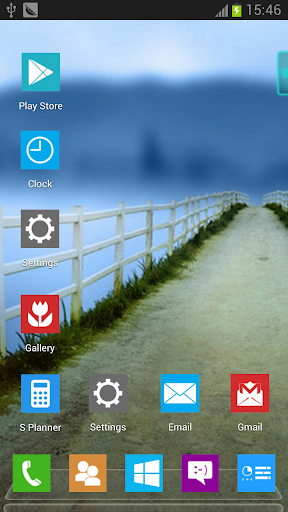
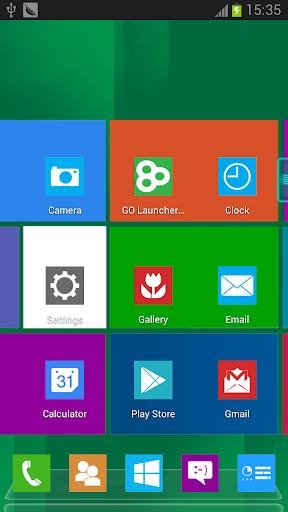
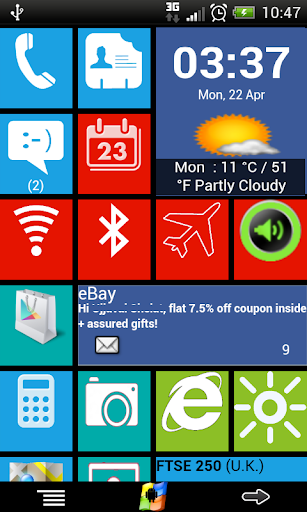
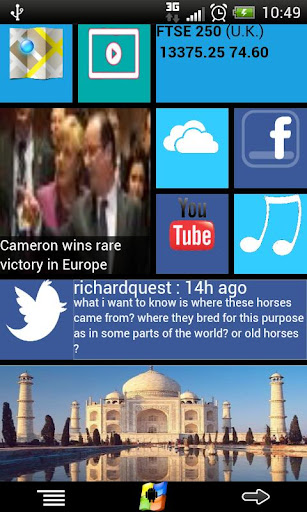
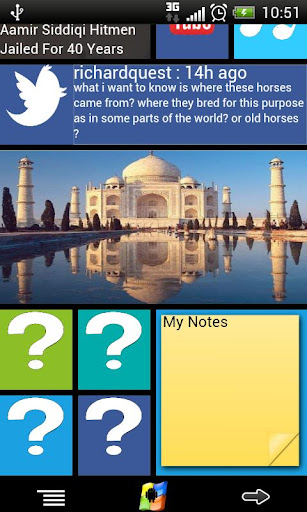
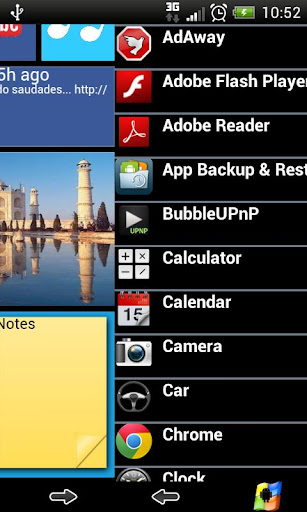
Windows8+ is Home launcher application which tries to provide Windows8 mobile like experience on your android device!


Windows8 / Windows 8 +Launcher  play.google.com.windows8p
Features:
  • Live tiles for gmail, news, weather, twitter, calendar , etc with many configuration options
  • Drag and drop tile groups to re-order/change the position of tiles.
  • Change icon/tile icon size using Menu >> Icon Size 
  • Select the preferred country for news using Menu >> Prefs >> News Country and for stock market using Menu >> Prefs >> Stock Market 
  • Power Control widget to on/off Wifi, Airplan mode, Bluetooth, ring mode, screen brightness, etc.
  • Click on icon/tile will bring up (launch) the associated app, (This application will try to associate most common applications like dialer, messsage, google play, etc) if you are clicking first time and no application is associated then list of all installed apps will be opened and you can associate any app of your wish to this tile.
  • Long Click on icon/tile to change the color, icon, application associated to tile. Following 3 options are available\n * Associate App - Change the launching app while keeping the same icon on home screen.\n * Change Color - Change background color of tile.\n * Change App - Change the launching app and icon will be replaced with app default icon on home screen. 
  • Additional icons/tiles style which can be customized as per your need. Add/remove tiles from Menu >> Tiles
  • Weather Service : Based on your current location, local weather details are available.
  • Stock Market updates : Select your preferred Stock Market using Menu >> Misc >> Stock Market
What's in this version : (Updated : Jun 11, 2013)
  • Performance improvements and fixes for frequent restart
  • More tile colors\n-Fixed icon size for portrait layout
  • Pin contact to any tile for quick and easy access.
  • Removed Video and Brightness button due to the defects with many phone/tablet models
Required Android O/S : 2.2+
Screenshots :


Download : 6Mb APK

If you like this please Link Back to this article...


Saturday, June 8, 2013

Next Launcher, designed by GO Dev Team, is officially released now!


Next Launcher 3D play.google.com.nextlauncher
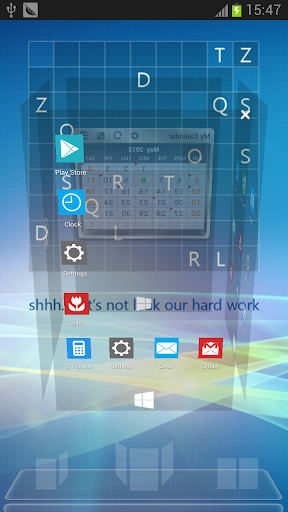
Next Launcher is a new launcher application which is full of glorious 3D elements and dynamic effects. Fancy 3D visual elements, gorgeous transition effects and humanized gestures bring you a unique and splendid operation experience and visual enjoyment.

Features:
  • Various operation for icons: icons support rotation, reset, select, align and so on. Operation is easy and fantastic.
  • Unlimited screen layout: placing icons or widgets randomly which forms your own home screen.
  • Stereoscopic screen preview: lots of screen display effects, dazzling animation of screen switching about adding or deleting screen.
  • Quick screen management: adding different kinds of elements in screen edit including application icons, folders and widgets. It’ll support changing wallpapers and themes soon.
  • Rotatable dock: inverting upward or downward the Dock can quickly switch among home screen, screen edit and screen preview.
  • Powerful app drawer: icons can be arranged by names or by time, and folders can be created by overlaying icons. Batch mode and operation of adding apps to screen are also available. 
  • Beautiful scrolling effects: a variety of app drawer scrolling effects that provide a distinctive screen switching experience.
  • Fancy 3D widgets: 3D widgets that are based on Next Launcher are coming soon!
Tips:
  • Please make sure your device has installed Google Play.
  • Phone performance:Android 2.3.3 and up; Dual-core models is better.
  • Suggestion:Watch the video of Next Launcher first, to know about the cool operation of the product.
  • Notice: We suggest users which use Galaxy Nexus don't remove the Menu icon.
What's in this version: (Updated : Jul 7, 2013)
  • (New) Cloth(3D) homescreen transition effects(Menu—>Preferences—>Effects settings)
  • (Improve) Add icon editor shortcut in Next key(Click Next key—>Icon edit)
  • (Improve) Support importing system launcher layout
  • (Improve)Respone and feedback of some operation
  • (Fixed) Some FC bugs
Required Android O/S : 2.2+
Screenshots :


Download : 5.8Mb APK
Thanks to zealot01

If you like this please Link Back to this article...


Wednesday, May 29, 2013

Introducing Kakudo Pro an app for faster app switching and multitasking!


Kakudo Pro play.google.com.kakudopro
WHAT IT DOES:
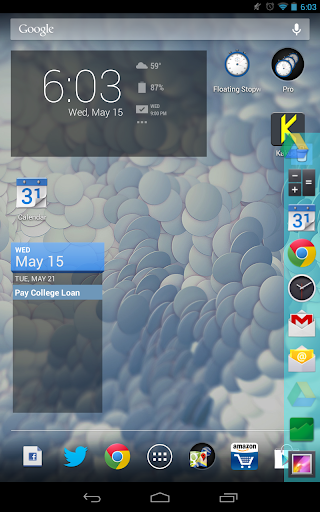
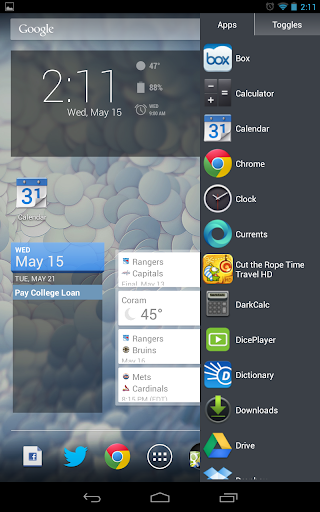
Kakudo allows users to switch between apps faster by just swiping. Swiping from the left or right sides of their devices opens the most recent open apps. If you want to copy text from a website to paste in a document, Kakudo makes it easier and faster to switch back and forth between your apps. Swiping up from the bottom and adding your most used apps to the Favorite Apps Drawer allows you to open your favorite apps without having to navigate back to the homescreen to do so. Adding toggles to the Favorite Apps Drawer allows you to turn them on without having to leave the app your currently in or to just check to see if the toggle is on/off since Kakudo's toggles show whether they are on/off.

Kakudo is also ergonomically designed to make it easier to use on larger screens. It's easier for your thumb to reach down when holding your device in the middle instead of up.

Features:
  • Swipe from the left or right to cycle through recent open apps
  • Swipe from the bottom to open your Favorite Apps Drawer
  • Add your most used apps/toggles to the Favorite Apps Drawer
  • Unlimited apps/toggles on Favorite Apps Drawer
  • Choose to start on boot
  • Toggles indicate whether they are on/off
  • Drag and Drop to reorder/remove apps/toggles from the Favorite Apps Drawer (Android Honeycomb and Above)
  • Favorite Apps Drawer ergonomically design for easier use
  • Minimal RAM/CPU footprint and closes fully when turned off
  • Change sensitivity and size of swipe detection areas
  • Adjust Icon size to best suit your preferences
  • Favorite Apps Drawer on the Right Side
  • Change gravity location of side swipe detection areas
  • Customize Favorite Apps Drawer Color and Opacity
  • Choose from 8 Color Schemes or Create your Own
  • Disable Notification Icon
  • Languages Supported: English, Spanish, German, French, Italian, Russian, Hungarian, Chinese, Portuguese, Polish, Romanian
ADDITIONAL INFO:
  • Apps may take longer to launch when at the home screen, this is not a problem with Kakudo it is a bug with the Android system.
  • GPS toggle may not work on all devices
  • A Persistent Notification is required by Android to allow Kakudo to stay open
What's in this version : (Updated : May 24, 2013)
  • Home button, GPS and NFC Settings added to toggles
  • Fixed NoClassDefinition crash on 2.3 devices
  • Fixed Kakudo starting on boot when unchecked
WARNING:
IF IMAGES ARE INCORRECT AFTER UPDATE DELETE THEM AND PUT THEM BACK INTO THE FAV APPS DRAWER

Required Android O/S : 2.3+
Screenshots :


Download : 360Kb APK
 

If you like this please Link Back to this article...


Next Launcher, designed by GO Dev Team, is officially released now!


Next Launcher 3D play.google.com.nextlauncher
At the end of 2012, we have a surprise for you! Next Launcher, designed by GO Dev Team, is officially released now!
Next Launcher is a new launcher application which is full of glorious 3D elements and dynamic effects. Fancy 3D visual elements, gorgeous transition effects and humanized gestures bring you a unique and splendid operation experience and visual enjoyment.

Features:
  • Various operation for icons: icons support rotation, reset, select, align and so on. Operation is easy and fantastic.
  • Unlimited screen layout: placing icons or widgets randomly which forms your own home screen.
  • Stereoscopic screen preview: lots of screen display effects, dazzling animation of screen switching about adding or deleting screen.
  • Quick screen management: adding different kinds of elements in screen edit including application icons, folders and widgets. It’ll support changing wallpapers and themes soon.
  • Rotatable dock: inverting upward or downward the Dock can quickly switch among home screen, screen edit and screen preview.
  • Powerful app drawer: icons can be arranged by names or by time, and folders can be created by overlaying icons. Batch mode and operation of adding apps to screen are also available. 
  • Beautiful scrolling effects: a variety of app drawer scrolling effects that provide a distinctive screen switching experience.
  • Fancy 3D widgets: 3D widgets that are based on Next Launcher are coming soon!
Tips:
  • Please make sure your device has installed Google Play.
  • Phone performance:Android 2.3.3 and up; Dual-core models is better.
  • Suggestion:Watch the video of Next Launcher first, to know about the cool operation of the product.
  • Notice: We suggest users which use Galaxy Nexus don't remove the Menu icon.
What's in this version: (Updated : May 23, 2013)
  • (New) Home screen transition effect - 3D crystal (Preferences -> Effects settings -> Home screen transition -> Crystal)
  • (New) Batch icon replacement with GO Launcher Themes (Next key -> Theme mix mode)
  • (Improved) Icon font size editable for all Android systems (Personality -> Icon editor -> Label size)
  • (Fixed) Some FC and crash issues
Required Android O/S : 2.2+
Screenshots :


Download : 5.7Mb APK
 
Thanks to zealot01

If you like this please Link Back to this article...


Saturday, May 11, 2013

It can run well in the lastest version of the Next Launcher!


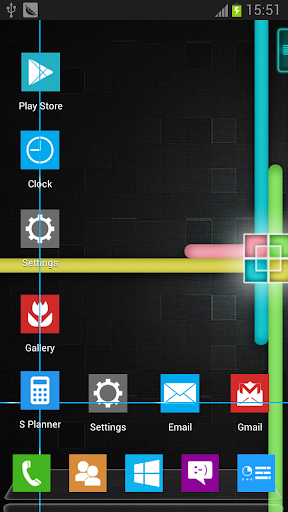
Windows8 Pro2 Next Theme play.google.com.windows8pro
Windows 8 Pro2 Next Theme, designed by Mr.Tornado, is available now! Get it and have a completely new makeover of your smartphone with android OS at once!
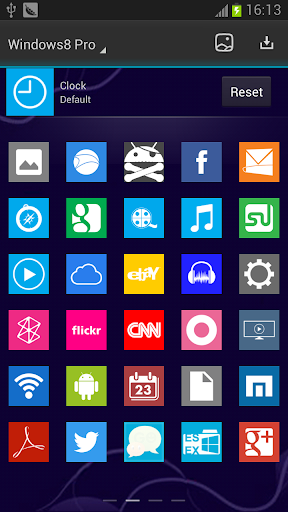
Windows8 Pro2 Next Launcher theme.114+ special icons, 10 HD wallpapers of the topic,5 icons base.

Features:
  • Free for Next Launcher 3D
  • 114 special icons, covers the main apps of the phone such as dial, SMS, email and so on
  • 10 HD wallpapers of the topic
  • Show you a integral theme, screen preview and dock are included
  • New folder interface experience
  • Special app drawer skin
Important tips:
Make sure the version V1.15 of Next Launcher 3D has been installed! (Search “Next Launcher 3D” to download)
APPLYING THE THEME
  1. In Next Launcher press the phone menu button;
  2. Select the PERSONALITY option;
  3. Click on the THEME icon;
  4. Select the Installed tab option;
  5. From the Theme listing select the theme you´ve just download and installed;
  6. Select APPLY;
APPLYING THE WALLPAPERS
  1. Press the “Windows8 Pro” icon in the menu of the phone;
  2. Select the "Set Wallpaper!" option;
  3. Select desired wallpaper and click Set Wallpaper;
Required Android O/S : 2.2+
Screenshots :


Download : 4.5Mb APK
 

If you like this please Link Back to this article...


Getting you where you need to go, faster!


Action Launcher Pro play.google.com.actionlauncher.pro
Action Launcher re-imagines the concept of an Android launcher. Put simply, Action Launcher is designed to get you where you need to go, faster.

It looks and feels like a natural launching pad for the Android ecosystem.

Features:
  • Sliding app drawer for instant access to all your apps
  • 'Covers', a powerful new way to quickly launch apps and shortcuts without compromising the look of your carefully crafted homescreen. 
  • Action bar present on the home screen
  • Highly organized customization options
  • Strong Play Store integration
Action Launcher automatically imports your existing launcher layout, so you'll instantly feel right at home.
What's in this version: (Updated : May 9, 2013)
  • NEW: Drag apps & widgets from the quickdrawer directly to a Home screen. This massively improves your customization workflow.
  • NEW: Lock/unlock desktop.
  • NEW: Shutters, a groundbreaking new feature that automatically puts widgets just a swipe away. (Note that due to Android API limitations, shutters require Android 4.1 or later)
  • NEW: Full tablet support.
  • NEW: WAY more features than Google will let me list here. See here for a full breakdown: http://bit.ly/WZtfzP
Required Android O/S : 4.0+
Screenshots :


Download : 3Mb APK
 

If you like this please Link Back to this article...


Get the Most Out of Your PC. More Powerful, More Useful, More Fun!

Blog Archive

Total Pageviews

Labels

Apps Games Themes
Powered by Blogger.